Your sign-up is not finished until your phone number is confirmed with a 6-digit code. Here is what happens, step by step.
1
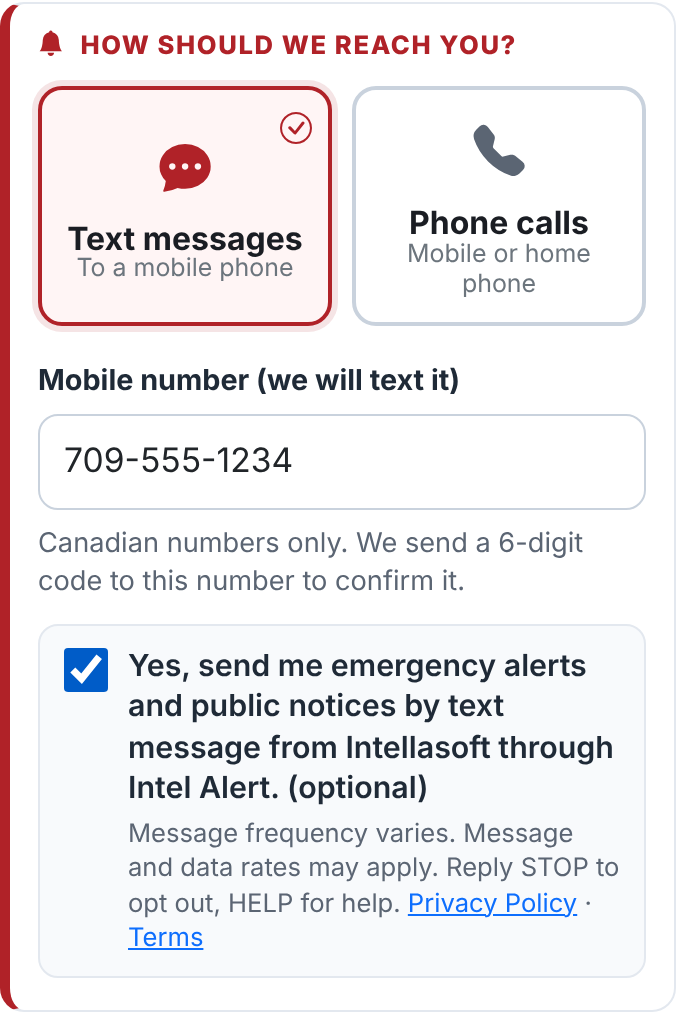
Choose text messages or phone calls
Text messages go to a mobile phone: tick the box under the number to agree to get them (reply STOP to any text to stop). Phone calls can go to a mobile or a home phone: an automated voice reads the alert to you. Enter the phone number and press Complete Registration.
2
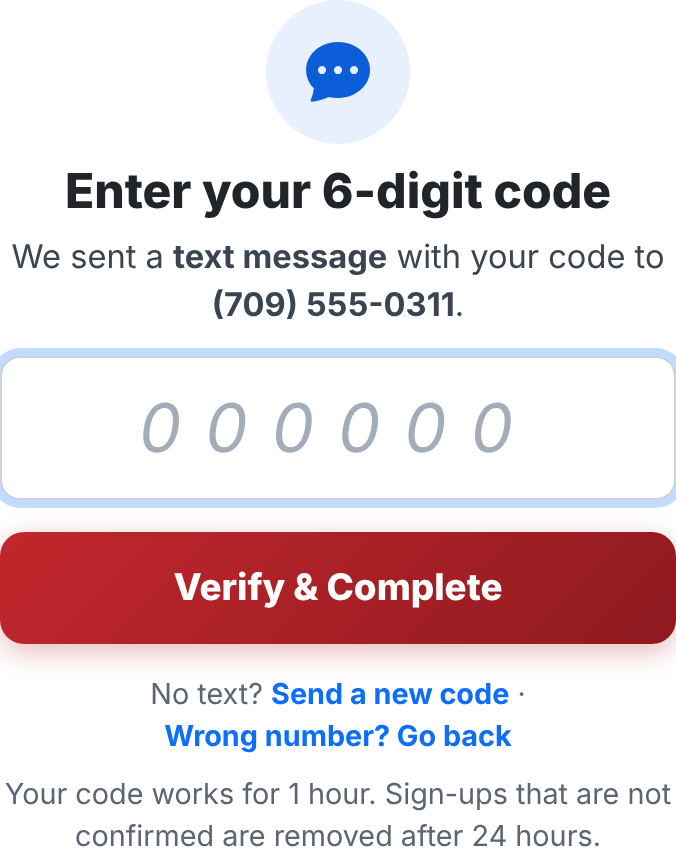
Enter your 6-digit code
We send a code by text message, or by an automated phone call that reads it to you three times. Type it in the box and press Verify & Complete. Keep this page open until you see You're signed up! Got the code by text? You can also simply reply to that text with the code – this page then shows You're signed up! by itself.
The code works for 1 hour. No code? Press Send a new code (or Call me again) – up to 3 codes in 15 minutes. Still nothing? Call the Town Office at 709.699.4089 and staff can finish your sign-up. Sign-ups that are not confirmed are removed after 24 hours.
3
Watch for your welcome message
Once confirmed, you get a welcome text (or a short welcome call). If you added a Guardian, they get one text asking them to reply YES – they get copies of your emergency texts only after they do.
4
Save our numbers
Alerts come texts from (877) 752-1396, calls from (709) 800-2465. Save them in your contacts as “Springfield Alerts” so you recognize them right away and your phone does not treat them as spam.
5
Confirm your email (if you added one)
We send an email from alerts@intelalert.ca. Click the link in it to turn on email alerts – email alerts are not sent until you do. Don't see it? Check your Junk or Spam folder.
6
Bookmark the alert page
Visit intelalert.ca/intellasoft any time to see if an emergency is active, read the full alert and see the map. Android: tap the red Install Intel Alert bar at the bottom of the alert page. iPhone: in Safari tap Share, then Add to Home Screen.
7
Change or stop your alerts
Use Manage My Alerts on the alert page (the Settings button on phones), or reply STOP to any text.